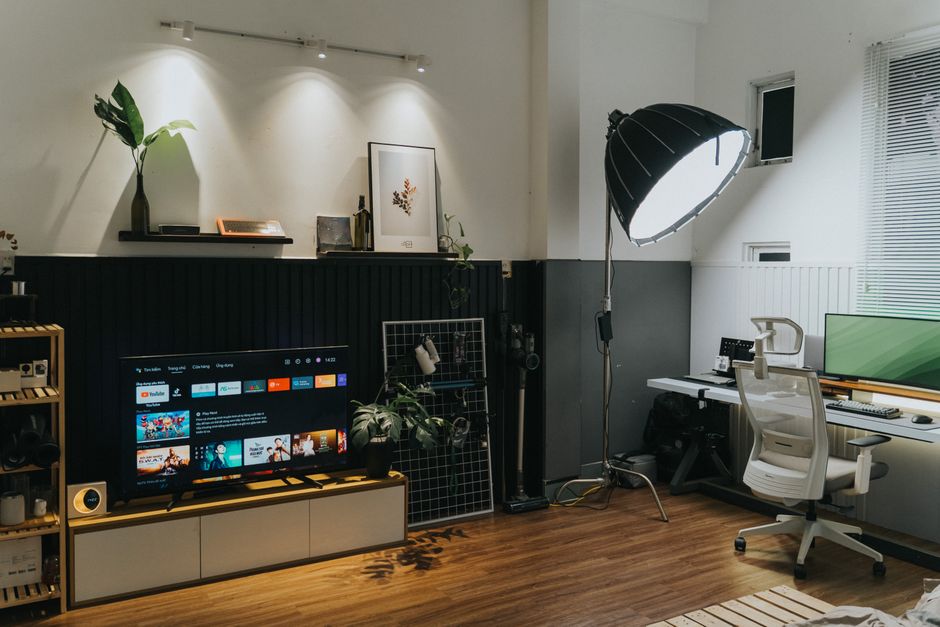
Best Monitor for Small Apartments (2026): Size, Mounting and Space-Saving Tips
Setup Your Desk Editorial
Updated October 31, 2026
Quick Answer
For most small apartments a 24-inch 1080p or 1440p monitor, or a 27-inch 1440p on a monitor arm, gives the best balance of screen space and footprint. Measure your desk depth first: under about 60 cm, stick to 24 inches or mount the screen on an arm so you can push it back. Skip ultrawides unless the desk is wide and deep.
Choosing a monitor for a small apartment: the right screen size for a shallow desk, monitor arms, 24 vs 27 inch, and setups that save space.
Start with your desk, not the monitor

Photo by Tom Fisk on Pexels
In a small apartment the desk decides everything. A shallow desk puts a large screen too close to your eyes, and a narrow one leaves no room for a keyboard and notebook. Measure depth and width before you shop.
A good rule of thumb is to sit roughly an arm's length from the screen. If your desk cannot give you that distance, go smaller or use an arm.
24 vs 27 inch in a small space
A 24-inch monitor is the safe choice for compact desks. At 1080p it is affordable and sharp enough for most work; at 1440p text gets noticeably crisper.
A 27-inch at 1440p is the sweet spot for productivity if you have the depth, giving you comfortable side-by-side windows. At 4K, 27 inches looks excellent but needs display scaling, and it costs more.
- ✓Desk under ~60 cm deep: 24 inch, or 27 inch on an arm
- ✓Desk 60 to 75 cm deep: 27 inch 1440p works well
- ✓Wide, deep desk: consider 32 inch or ultrawide
- ✓Mostly laptop work: a 24 inch next to the laptop screen
Use a monitor arm to win back space

Photo by AlphaTradeZone on Pexels
A monitor arm is the best space-saving upgrade in a small apartment. It frees the area under the screen, lets you push the monitor back for more viewing distance, and swings it out of the way when the desk becomes a dining table.
Check that your monitor has VESA mounting holes and that the arm supports its weight, and that your desk edge can take a clamp.
Features that matter in a one-room setup
When your office is also your living room, a few features make life easier.
- ✓USB-C with power delivery: one cable charges and connects your laptop
- ✓Built-in KVM: switch keyboard and mouse between a work and personal computer
- ✓Matte screen: fewer reflections from windows
- ✓Thin bezels and a small stand footprint
- ✓Low-blue-light and flicker-free modes for long days
Ultrawide or dual monitors?

Photo by Jakub Zerdzicki on Pexels
Ultrawides look great but need a wide, deep desk, and they dominate a small room. Two monitors take even more width. In tight spaces, a single 27-inch on an arm usually beats both, with your laptop screen as a second display when needed.
Small apartment setup checklist
Before you buy, run through this list.
- ✓Measure desk depth and width
- ✓Decide 24 or 27 inch based on depth
- ✓Check VESA support if you want an arm
- ✓Prefer USB-C if you work from a laptop
- ✓Plan cable routing so the setup disappears when you are done
Your Questions Answered
What size monitor is best for a small desk?
Usually 24 inches. If your desk is deep enough or you use a monitor arm, a 27-inch 1440p is a great upgrade.
Is a 27-inch monitor too big for a small apartment?
Not if your desk is at least around 60 cm deep or you mount it on an arm so it sits further back.
Is an ultrawide good for a small space?
Usually not. Ultrawides need a wide, deep desk and can overwhelm a small room.
Advertisement
Sponsored: today's featured offer →Advertisement